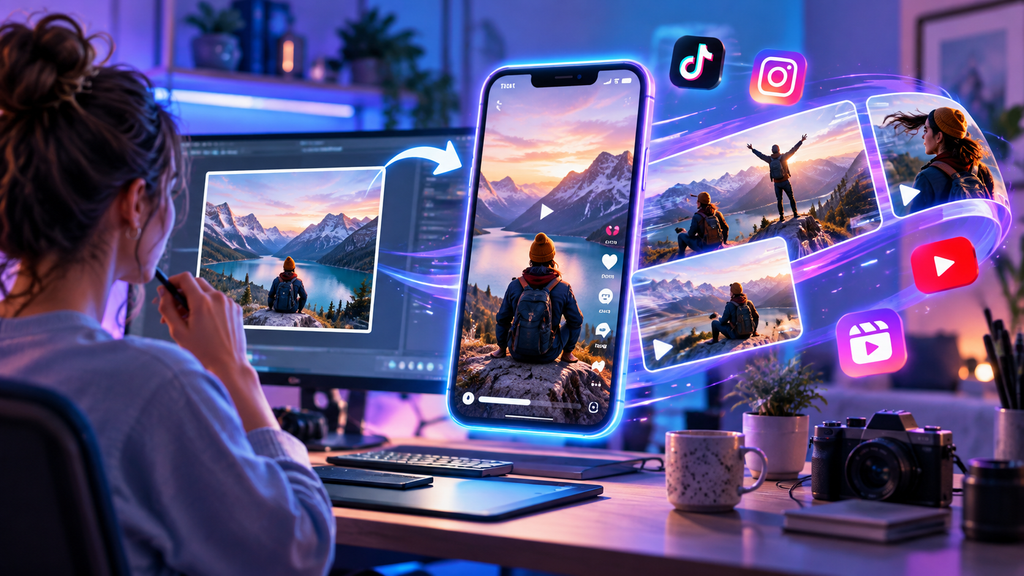
Short-form video has become one of the most practical ways to communicate ideas online. Social feeds, product pages, presentations, advertisements, and educational content increasingly rely on motion to attract attention and explain information quickly.
The challenge is that not every creator starts with video footage.
Many people already have strong visual assets—product photography, illustrations, campaign graphics, artwork, presentation images, or social posts—but do not necessarily have the time, equipment, or editing experience to turn them into videos.
This is where image-to-video workflows can be useful.
Instead of creating every scene from scratch, creators can begin with an existing visual and add carefully planned motion. The goal is not simply to make an image move. Good results come from choosing movement that supports the original composition and gives viewers a reason to keep watching.
Here are some practical ways to turn static images into more engaging short-form video content.
Start With an Image That Has a Clear Subject
The source image has a major influence on the final result.
A visually complicated image may contain several people, overlapping objects, small details, text, reflections, and multiple competing focal points. Animating all of those elements can make the result feel busy or unpredictable.
A cleaner image usually gives you more control.
Look for visuals with:
- one obvious subject;
- clear separation between the subject and background;
- good lighting;
- enough empty space for potential movement;
- recognizable shapes and details; and
- a composition that still works when viewed quickly.
For example, a single product photographed against a simple background usually gives you more obvious animation possibilities than a crowded table containing ten different objects.
The same principle applies to portraits, landscapes, illustrations, and AI-generated artwork.
Before thinking about motion, make sure the still image already communicates clearly.
Decide What Should Actually Move
One of the easiest ways to make an image-to-video result feel unnatural is to animate everything at once.
A scene does not need constant movement to feel alive.
Often, one or two subtle actions are enough.
For a portrait, that might mean slight head movement, natural breathing, gently moving hair, or a slow camera push.
For a landscape, movement could come from clouds, water, grass, fog, or changing light.
For a product photograph, the product itself may remain completely still while the camera, reflections, shadows, or background elements move.
Think of the image as the opening frame of a short video.
Ask yourself:
What would logically happen during the next few seconds?
That question usually produces better ideas than trying to make every visible object move.
Use Camera Motion to Add Energy
Not all movement needs to happen inside the image.
Camera movement can make a still scene feel more cinematic while keeping the subject relatively stable.
Common options include:
Slow Push-In
The camera gradually moves closer to the subject.
This works well for portraits, products, architecture, and dramatic scenes because it naturally draws the viewer’s attention toward the focal point.
Pull-Back
The camera slowly moves away from the subject.
This can be useful when you want the video to reveal more of the environment or create a sense of scale.
Pan
The camera moves horizontally across the scene.
Panning often works well with landscapes, interiors, city scenes, or wide compositions.
Tilt
The camera moves upward or downward.
This can help reveal the height of a building, person, landscape feature, or product.
Gentle Orbit
The camera moves partly around the subject.
Orbiting can add depth, although it works best when the original image provides enough visual information for the movement to feel believable.
The key word in many of these examples is gentle.
Short-form video does not always need aggressive movement. Subtle motion can often look more polished.
Write Prompts About Motion, Not Just Appearance
When working with image-to-video generation, the image already provides most of the visual information.
Repeating everything visible in the image may not be the most useful way to structure a prompt.
Instead, focus on what should change.
Rather than writing:
A beautiful mountain landscape at sunset with orange clouds and a peaceful lake.
Try:
The camera slowly moves forward while clouds drift across the sky and gentle ripples move across the lake.
The second version gives clearer instructions about time and motion.
A useful prompt can include four basic elements:
Camera movement + subject movement + environmental movement + pace
For example:
Slow camera push-in. The subject turns slightly toward the window. Curtains move gently in the breeze. Calm, natural pacing.
For a product:
Static camera. Soft reflections move across the glass while warm background light gradually shifts. Subtle realistic motion.
You do not need to include every element every time.
Simple prompts are often easier to refine.
Match the Motion to the Platform
A video intended for a presentation may need different movement from one designed for a fast-moving social feed.
For short-form social content, the first few seconds matter.
The movement should become noticeable quickly enough to create interest, but not so quickly that the scene becomes difficult to understand.
Vertical content may also require different composition choices from horizontal website or presentation video.
Before creating the animation, consider:
- where the video will appear;
- whether viewers will watch with sound;
- how much time you have to communicate the idea;
- whether text will be added afterward; and
- whether the original image fits the intended aspect ratio.
Planning these details early can reduce unnecessary editing later.
Keep Important Text Stable
Images containing text require additional care.
Posters, product packaging, book covers, screenshots, menus, and advertising graphics may contain words that need to remain readable.
Strong motion can cause text and logos to become distorted.
If readable text is important, consider keeping the text-bearing area relatively stable while introducing motion elsewhere.
For example, instead of rotating a product package dramatically, keep the package still and animate:
- the background;
- lighting;
- shadows;
- particles;
- steam;
- water;
- reflections; or
- camera movement.
For professional content, another reliable approach is to create the visual motion first and add important text afterward in a video editor.
This gives you much greater control over readability.
Use AI as a Starting Point, Not the Entire Workflow
AI generation can create the moving visual, but the best final content often involves additional editing.
After creating the clip, you might still want to add:
- captions;
- music;
- sound effects;
- brand elements;
- transitions;
- voice-over;
- a call to action; or
- other footage.
This is especially useful for marketing and social-media projects.
The generated video becomes one creative ingredient rather than the entire finished product.
Creators exploring this workflow can experiment with an AI image-to-video tool from Vidou.ai or another platform that matches their preferred level of control and production complexity.
The important part is choosing a tool that fits the job rather than trying to force every project into the same workflow.
Test Small Changes Instead of Rewriting Everything
The first generated clip may not be perfect.
That is normal.
What matters is how you respond to the result.
If the movement looks wrong, avoid changing the source image, prompt, camera direction, pacing, and several other variables all at once.
Instead, identify the main issue.
If the camera moves too quickly, change the camera instruction.
If the subject changes too much, reduce the subject movement.
If the background is distracting, simplify the environmental motion.
If the clip feels static, add one additional motion element.
Changing one variable at a time makes it easier to understand what actually improves the result.
It also helps you develop a repeatable prompting style.
Subtle Motion Can Be More Effective Than Dramatic Motion
There is often a temptation to make AI-generated videos as dramatic as possible.
Large camera moves, rapidly changing lighting, exaggerated subject motion, and several simultaneous effects may seem more impressive.
But more movement does not necessarily create better content.
A slow push toward a product can feel more professional than a dramatic orbit.
Gentle environmental movement can make a landscape feel more believable than trying to transform the entire scene.
Small facial movements may preserve a portrait more successfully than a complicated full-body action.
The motion should support the image rather than compete with it.
Build a Reusable Workflow
Once you find an approach that works, document it.
For example:
- Choose a clean source image.
- Identify one primary movement.
- Choose one camera direction.
- Write a short motion-focused prompt.
- Generate the first version.
- Identify the biggest issue.
- Change one variable.
- Generate again.
- Select the strongest result.
- Add text, audio, or editing afterward.
A repeatable process saves time and makes it easier to create several pieces of content from the same campaign or collection of images.
You can also reuse successful prompt structures while adapting the movement to different subjects.
Final Thoughts
Turning static images into short videos is not just about adding motion for the sake of motion.
The strongest results begin with a clear source image and a simple idea about what should happen next.
Choose movement that fits the composition.
Keep prompts focused.
Use camera motion deliberately.
Protect important details such as faces, products, logos, and text.
And remember that subtle movement can often communicate more effectively than a scene filled with unnecessary action.
As image-to-video technology continues to improve, the technical barrier to creating motion will probably become even lower.
Creative judgment will remain important.
The real skill is not simply making an image move. It is deciding how much movement the image actually needs.