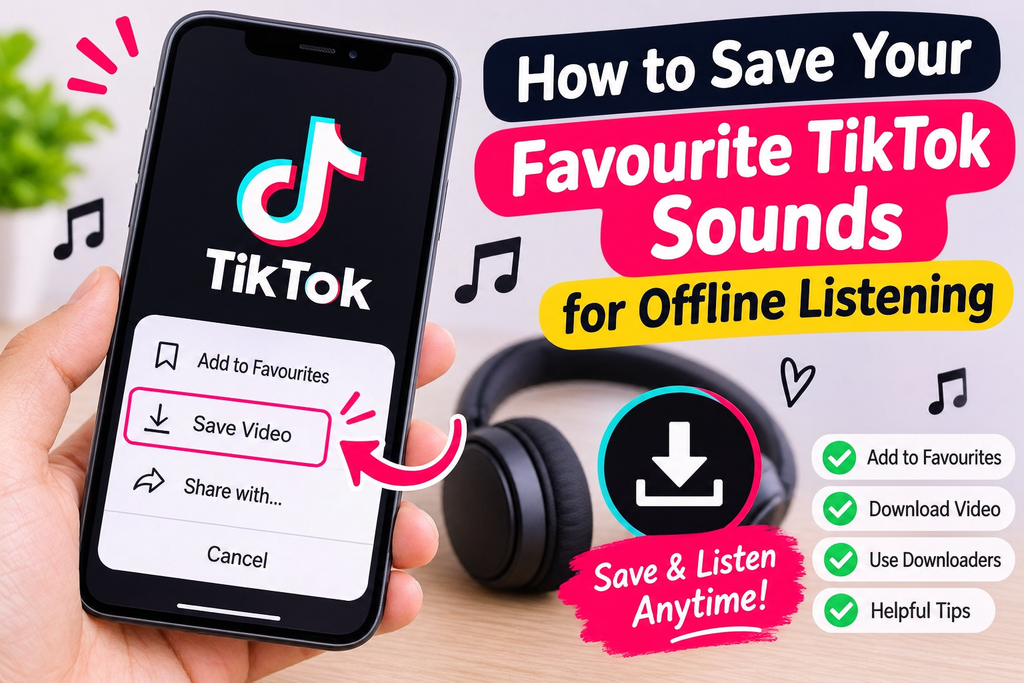
Have you ever heard a TikTok sound that you love and want to listen to it again but can’t find it later? It could be a catchy song, a funny voice recording or background music that you just couldn’t help but notice. There are so many cool sounds on TikTok but sometimes it takes longer than expected to find the same sound again.
That’s why so many users are wondering how to save their favourite TikTok sounds for offline listening. If you like collecting music, making videos or just listening to interesting audio it’s useful to have a simple way to get at your favourite sounds.
There are a few ways you can download content on TikTok, but not all of them are instantly available for offline use. We’ll discuss how these features work, and how to make sure your favourite audio is always at your fingertips.
Why Do People Want To Download Tiktok Audio?
TikTok sounds aren’t just popular songs. The platform offers comedy clips, movie dialogues, motivational speeches, original recordings, short music tracks. Sometimes it’s a certain sound that you love because it reminds you of something or just fits your mood.
You can find these sounds easily whenever you want to, because you save them. No more endlessly scrolling your For You page or having to hunt down the original video again.
It can be helpful for content creators too. If you make a lot of TikTok videos, saving sounds you like gives you a bank of audio ideas to pull from when you’re thinking up your next post.
Another is convenience. Not everybody has a good Internet connection all the time. You can download the permitted content to your device for easy listening while travelling or when WiFi is unavailable.
How To Favourite Your Favourite Tiktok Sounds
TikTok has a bookmark function to save sounds you like. This is probably the easiest way to keep track of your audio without using another application.
Here’s how you can do it:
- Open the TikTok app on your phone.
- Find a video that has the sound you want.
- Tap the sound name or the spinning record icon on the bottom of the video.
- You will be sent to the specific page of the sound.
- Tap Add to Favourites or bookmark it.
The sound will now be added to your favourites collection. You can return to your TikTok profile and find it in the favourites section.
Keep in mind this only saves the sound to your TikTok account. It doesn’t download a sound file to your phone so you generally need an internet connection to play it.
Can You Listen To Tiktok Sounds Without The Internet?
Yes, but you have to do it the right way. Unfortunately, there’s no general option on TikTok to download each individual sound as an audio file for offline listening.
Some users also look for ways to download TikTok sound clips they enjoy, but the available options depend on copyright restrictions and the permissions provided by the original creator.
One of the easiest ways is to save a TikTok video if the creator allows downloads. Your video will be saved with its original audio, so you can play it later in your phone’s gallery without opening TikTok.
You can also listen to the original song on a musical streaming site. If you have an eligible subscription, you may be able to download and listen offline there.
What is the best choice? It depends if you want to save a whole video or just listen to a particular song.
How To Download Tiktok Videos With Original Audio
If they’ve enabled downloads on their TikTok videos, you can download the video directly to your device. If you like the video and you like the audio, that’s good.
Step 1: Do the following:
- Open TikTok and find the video you wish to save.
- Tap the Share icon on the right side of the screen.
- You’ll see options. Click Save Video.
- Wait for the download to complete.
- Open your phone gallery and there you will see the video.
Once downloaded you can watch the video whenever you like, even if you don’t have an internet connection. The saved video will contain the original sound.
Though you might not see the option to Save a Video on all posts. Some creators have downloads disabled and some videos have more restrictions. These settings are there for a reason and it’s best to respect them, rather than trying to get around them.
Be Cautious With Tiktok Online Downloaders
You may also come across websites that offer TikTok video downloading services. Using a reliable TikTok downloader can help you save permitted public videos for later viewing, depending on the website’s features.
Some services offer various download formats, depending on the content and features offered. However, not all websites are safe or reliable.
- Things to bear in mind when using an online downloader:
- Stay away from sites that request your TikTok login credentials.
- Don’t ever download unknown software to save a video.
- Watch for shady ads and misleading buttons.
- Read the site’s privacy policy before using the site.
- Download content only if you have proper permission.
Other third party websites may collect browsing information or redirect visitors to undesirable pages. A quick service check can save your device and your personal data.
Stream Your Favourite Tunes With Streaming Apps
Music streaming apps are worth a look if you’re primarily looking for songs you discovered on TikTok.
Eligible subscribers in supported regions can download available tracks for offline listening via services like Spotify, Apple Music and YouTube Music.
If you hear a song on TikTok, you can search for its title in your favourite music app. When you find the right version, add it to your playlist and use the download option if your subscription permits it.
“It’s a practical solution because you can listen to the whole song … You don’t have to listen to a short TikTok clip over and over again.”
One thing to keep in mind is that downloaded music tends to stay within the streaming app. You can’t necessarily move it to your phone’s music folder, or share it as a standalone audio file.
Suggestions For Organising Your Saved Sounds
Once you’ve saved a few videos and sounds, it can be hard to recall where everything is. A little organization will keep this from happening.
Make separate folders for music clips, funny clips, inspirational audio and videos you might want to come back to. It is easier to locate specific content.
It’s also worth checking out your saved collection from time to time. Delete videos you no longer need, especially if you have limited storage space on your phone.
If you create content on TikTok often, save a different folder of sounds that fit the type of videos you create most. This is useful if you are looking for new ideas, but don’t want to spend hours sifting through the platform.
How To Save Tiktok Sounds If You Cannot
Sometimes you might want to save a sound and the option you expect is not available. This doesn’t always mean there’s something wrong with your phone.
The creator may have disabled video downloads or the audio may not be available for download due to copyright issues. In some cases TikTok may also remove a sound or limit access to the sound in some locations.
If the app is not working properly, check whether you are using the latest version. You can also try restarting TikTok and checking your internet connection.
If the videos are already downloaded, ensure that you have enough storage space on your phone and that the app has the required media permissions.
Final Thoughts
While great sounds are easy to find on TikTok, you’ll have to do a little work to save them for later. The favourites feature is useful for saving audio to your account, and allowed video downloads provide a way to enjoy clips without an internet connection.
If you want to listen to full songs, music streaming apps with offline capabilities might be a better choice.
Select the option that suits your needs, manage your saved material, and adhere to copyright and creator permissions. So you can enjoy your favourite TikTok sounds without having to look for them again