If you have ever tried to save music from YouTube Music for offline listening, you have likely discovered a frustrating limitation. Even with a Premium subscription, downloads are locked within the app and cannot be transferred or played on other devices. This guide explores the most effective methods to convert YouTube Music to MP3, focusing on a reliable solution for building a permanent, portable music collection.
Understanding the Need for YouTube Music to MP3 Conversion
YouTube Music offers an extensive catalog of official tracks, remixes, live performances, and user uploads, making it one of the most comprehensive streaming platforms available. However, its offline functionality comes with significant restrictions. Files downloaded through the official app are cached and protected, making them inaccessible outside the platform. This means you cannot transfer your favorite songs to an MP3 player, use them in a video project, or back them up to an external drive.
Converting to MP3 addresses several common needs that streaming services simply cannot fulfill. Universal playback is perhaps the most compelling reason, as MP3 files work on literally any device, from smartphones and tablets to car stereos and dedicated MP3 players. You also gain permanent ownership of your music, ensuring your collection remains accessible even if you cancel your subscription or a particular track is removed from the platform. Offline access becomes truly unrestricted, allowing you to listen without an internet connection or worrying about mobile data usage. Finally, converting helps you consolidate your library, enabling you to combine music from various streaming services into one organized, searchable collection.
The Challenges of Free Conversion Methods
Before committing to a dedicated solution, many users attempt free online converters or browser extensions. These methods come with significant drawbacks that often outweigh their zero-cost appeal. Most free tools severely limit audio quality, typically capping output at 128kbps or 192kbps, which results in a noticeable loss of clarity, especially on good headphones or speakers. They also cannot handle batch downloads, forcing you to convert tracks one by one—a tedious process for anyone managing large playlists or full albums. Furthermore, these tools often strip away crucial metadata like track titles, artist names, and album artwork, leaving you with a collection of unorganized files. Privacy and security are additional concerns, as many free converters are riddled with intrusive ads or potentially harmful software. For anyone serious about their music collection, these compromises are simply unacceptable.
The Recommended Approach: Using a Dedicated Converter
For users seeking a reliable, high-quality solution, ViWizard YouTube Music Converter stands out as a powerful desktop application designed to overcome the limitations of both the YouTube Music app and free online tools. It works seamlessly for both Free and Premium subscribers, enabling you to download songs, playlists, albums, and even mixes in high-quality MP3 format at up to 320kbps. Beyond MP3, it supports other formats like FLAC, WAV, M4A, and AIFF, offering flexibility for different use cases.
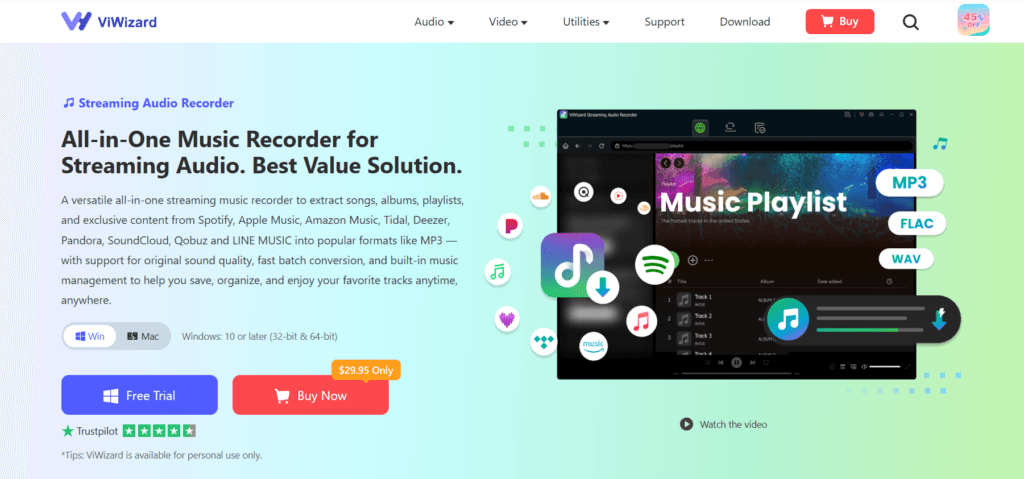
What truly sets ViWizard apart is its integrated web player, which eliminates the need to install separate apps for different services. You can access content from YouTube Music directly within the software, browse your library, and add selections to your conversion queue with a single click. The application also preserves all ID3 tags, including track titles, artists, albums, and cover art, ensuring your library remains well-organized and visually appealing. Its batch conversion capabilities allow you to download entire playlists or albums at blazing-fast speeds, saving substantial time.
The process of converting YouTube Music to MP3 using ViWizard is remarkably straightforward, consisting of just a few simple steps.
Step 1: Set Your Output Preferences
After downloading ViWizard, launch the program and navigate to Menu > Preferences > Conversion. Here, select MP3 as your output format. You can also customize the audio quality (bitrate up to 320kbps) and choose a specific folder to save your files.
Step 2: Access YouTube Music
In the main interface, select YouTube Music from the list of supported platforms. The built-in web player will launch. Sign in with your Google or YouTube Music account to access your entire library.
Step 3: Select Your Music
Browse the web player to find the tracks, playlists, or albums you want to convert. Once you’ve found your selection, click the ‘+’ button to add it to your conversion queue.
Step 4: Start the Conversion
Click the Convert button. The application will then process your selection, batch-downloading your music at fast speeds while retaining the original audio quality and all metadata.
Why This Method Stands Out
Compared to free online tools, a dedicated solution offers several key advantages. ViWizard supports not only YouTube Music but also nine other major streaming services like Spotify and Apple Music, making it a versatile tool for any music lover. It ensures you get a clean, stable, and secure experience with no hidden malware, a common risk with free downloaders.
While the full version is a paid application with a monthly subscription starting at $31.95, it offers a free trial. The free trial allows you to test its features, speed, and audio quality risk-free before making a purchase, ensuring it is the right fit for your needs.
Conclusion
Converting YouTube Music to MP3 is essential for creating a personal, portable, and permanent music library. While many methods promise quick results, only dedicated tools like ViWizard can deliver high-quality, batch downloads that preserve all your music’s metadata without restrictions. This approach not only saves you from the limitations of the official app but also gives you full control over your music collection, allowing you to enjoy your favorite tracks on any device, anytime.