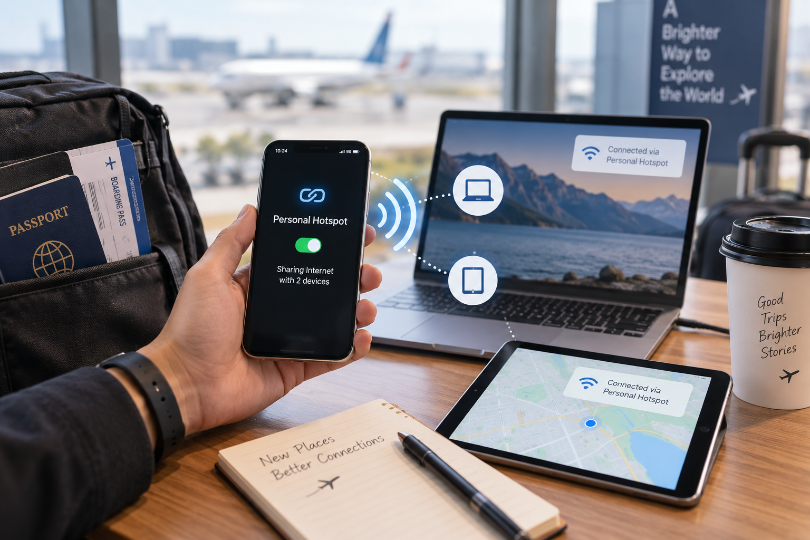
A phone can become surprisingly important on an international trip. It may already handle maps, tickets, messages, payments, and bookings. Turn on personal hotspot, and the same phone can also become the internet connection for a laptop, tablet, or another traveler’s device.
That flexibility can make an esim card useful beyond the phone it is installed on. But sharing data is not automatically the cheapest or simplest setup for every group. The answer changes depending on who needs the connection, how often they need it, and whether everyone will stay close to the phone supplying the hotspot.
One Phone Can Be Enough—Until Everyone Needs It
Hotspot works by sharing the host phone’s mobile-data connection with nearby devices. The eSIM itself is not copied to another phone or laptop. As soon as the second device moves too far from the host, its connection disappears.
That distinction is easy to overlook when planning a trip as a couple. If two people spend most of the day together, one shared connection may work perfectly well for occasional searches or messages. But if they split up in a large city, the person without an independent connection may suddenly lose maps, ride-hailing, digital tickets, and messaging at exactly the wrong moment.
A hotspot solves temporary access very well. It is less useful as a substitute for independence.
Two Very Different Reasons to Share Data
The practical value of tethering becomes clearer when you look at what the second device is actually doing.
A Laptop That Comes Online for Short Tasks
A traveler may only need a laptop for thirty minutes between trains: reply to email, send a document, update a booking, or finish a small piece of work. In that situation, a phone hotspot is an efficient backup. There may be no reason to arrange another mobile connection for a device that is online briefly.
The calculation changes when the laptop becomes a full working setup. Several hours of video meetings, cloud applications, file transfers, and browser activity can consume much more data than ordinary phone use.
A Companion Who Needs Access Throughout the Day
Sharing with another traveler can look lighter because a second phone may mostly use messaging, maps, and browsing. The challenge is not necessarily data consumption; it is movement.
If both people stay together, sharing can work. If one visits a museum while the other goes shopping across town, the arrangement stops working immediately. For travelers who expect to separate regularly, independent data may be worth more than the savings of using one hotspot.
The Laptop Can Spend Data You Never Meant to Share
Computers often behave differently once they see a Wi-Fi connection. They may begin cloud synchronization, check for system updates, download large email attachments, refresh shared folders, or back up files without asking whether the Wi-Fi happens to come from a limited travel plan.
This is why one hour of laptop use can sometimes change a data estimate more than an entire afternoon of phone navigation.
Before connecting a computer to travel data, a few adjustments can make the session more predictable:
- mark the hotspot as a metered connection when the operating system offers that option;
- pause cloud-drive and photo synchronization;
- postpone system and application updates;
- avoid large downloads until ordinary Wi-Fi is available;
- reduce video-call quality when high definition is unnecessary.
These settings do not make the laptop less useful. They simply stop background activity from competing with the work you actually opened it to do.
Why eSIM.now Works Well for Travelers Who Plan to Share Data
If hotspot use is part of the trip, the mobile plan needs to do more than simply connect one phone. Travelers should know whether tethering is allowed, how much data is available, and whether the plan still fits once a laptop or another device begins sharing the connection.
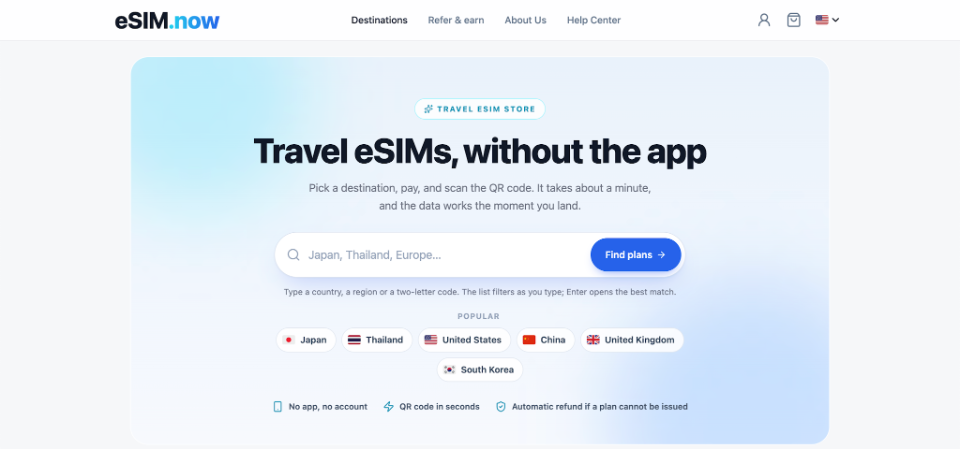
On esim now, most current plans support hotspot use, while any restriction is shown in the individual plan details. That makes it easier to check tethering before purchase instead of discovering a limitation after another device already depends on the connection.
The site also lets travelers compare country-specific, regional, and global eSIM options, which is useful when hotspot access is needed across more than one destination. Data allowance, validity, coverage, and network information are shown before purchase, so a traveler planning to connect a laptop can choose around the whole trip rather than only the first stop.
Setup is also relatively light. There is no mandatory app or account, and the eSIM QR code is delivered through the order page and email after payment. The profile can be installed over Wi-Fi before departure, while the traveler’s normal SIM can remain in the phone for calls and messages on compatible dual-SIM devices.
For someone who expects to share data occasionally, these details matter more than the hotspot switch itself: the plan can be checked in advance, installed before flying, and used without replacing the existing SIM.
Power Can Become the Limiting Factor Before Data Does
Hotspot asks the phone to do several jobs at once. It maintains a cellular connection, broadcasts a local connection to other devices, and may still be running navigation, messaging, Bluetooth, or travel apps for its owner.
That can drain the battery noticeably faster than ordinary phone use. A plan may have plenty of data left while the phone supplying it is approaching 10 percent battery halfway through a travel day.
For occasional laptop access in a café, this may not matter. For a long train journey or a day working away from outlets, it becomes part of the connectivity plan. A charged power bank and cable can be more valuable than buying another few gigabytes.
Heat can matter too. Continuous hotspot use while charging, navigating, and sitting in direct sun can make a phone uncomfortably warm. Giving it a break is sensible when possible.
Coverage Is Shared Too
Hotspot cannot improve the network connection already reaching the host phone. If that phone drops to a weak signal on a rural road or train route, every connected device experiences the same limitation.
This is particularly important when the hotspot is intended for work. A casual browsing session can tolerate a short interruption; a client meeting or remote presentation may not.
For an important work block, identify a fallback before relying on the phone as the only connection. Hotel Wi-Fi, a coworking space, or another independent data line can provide redundancy when the task matters more than convenience.
The same reasoning applies to groups. Five people connected to one phone still have only one underlying mobile connection.
Know When One Phone Should Stop Being the Hub
Hotspot is most useful when it solves a specific, limited problem: getting a laptop online between Wi-Fi networks, giving a companion temporary access, or connecting a tablet for part of a journey.
It becomes less attractive when several people need reliable, independent internet throughout the day or when a laptop will be doing heavy online work for hours at a time. At that point, the group is no longer sharing occasional access; it is building its connectivity around one device.
Think about proximity, data consumption, battery life, and coverage together. If everyone will remain close and the shared usage is modest, one phone can be an efficient hub. If the group separates or the workload becomes demanding, independent connections may make the trip easier.
The useful question is therefore not simply whether your eSIM allows hotspot. It is whether sharing one phone’s connection matches the way the people and devices on the trip will actually move and work.